
AI virtual try-on
for Shopify
fashion stores.
Shoppers upload one photo and see your clothes on themselves, right on the product page. No account or install for them. Fewer doubts at the cart, fewer returns after delivery, more orders.

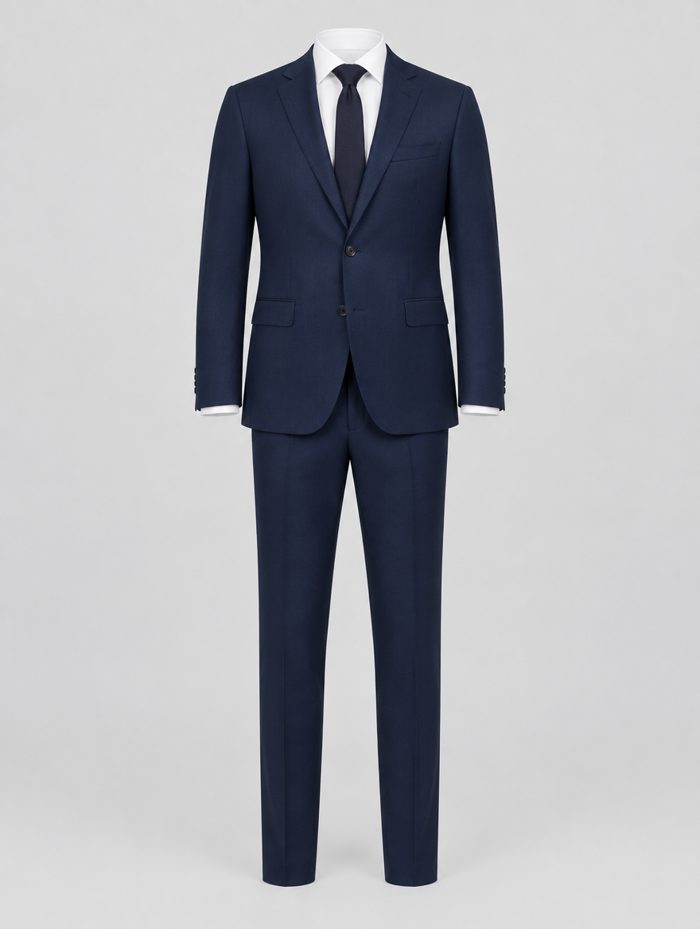

Built for Shopify fashion brands that want confident shoppers.
Brix-Tryon is more than a photo widget. It is a virtual try-on app for Shopify that shows each shopper how a garment looks on them, using their own photo, right on your product page, so they buy with confidence.
Lead capture, WhatsApp sharing and built-in analytics help turn browsers into buyers, so you can see how try-on affects cart and purchase behavior on your own store.
check_circleStart free and go live in under 5 minutes
Shopper's photo
Will this suit me?
Perfect fit · M
Live try-on
From static page to confident cart: +32% conversion
Why conversion matters
Get more sales from the visitors you already have.
Many shoppers leave because they can't tell how a piece will fit. Virtual try-on removes that doubt, so more of your visitors buy. Enter your numbers to see the difference.
1 · Tell us about your store
2 · What changes with Brix-Tryon
Today you make
$24,000
400 orders a month
With Brix-Tryon you could make
$31,680
528 orders a month
That's +$7,680 more every month
Getting the same lift from ads would take about 6,400 more visitors a month.
Estimate based on a 32% increase in the share of visitors who buy. Your results will vary.
Virtual try-on built for trust
Shoppers see products on their own photo, with a consent notice up front and a promise that the photo is never stored after processing.
 01
01
Try-On on Every Product Page
Shoppers click Try On This Look, upload or photograph themselves, and see the product on them, with Add to cart and Buy Now right in the result.
- check_circle Upload from gallery or camera
- check_circle Add to cart, buy now, save or share on WhatsApp
 02
02
Privacy by Design
A consent notice appears before upload, and the try-on modal states the photo is never stored after processing. You can show or hide the notice in Widget Settings.
Shopper consent
The email and phone number shoppers enter to unlock their result are saved with their marketing-consent status and a timestamp.
Brix-Tryon in numbers
What you get on day one
The facts about the app. We will publish merchant results here once we have real ones to share.
0
photo is all a shopper needs to try on a look
0
free try-ons every month
0
minutes to install and go live
0
plans: Free, Growth and Pro
Core features
Everything you need to turn try-ons into sales
Widget Settings with Live Preview
Button text, colours, radius, size, padding and fonts, set separately for desktop and mobile, with a live preview.
Privacy by Design
A consent notice appears before upload, and the modal states the photo is never stored after processing.
Collection Page Try-On Icons
A small try-on icon on product-listing cards, over the image or in the action corner, with your choice of icon, colour and size.
Product Catalog Controls
Switch try-on on or off for each collection or product from one screen, with a grid of every try-on enabled product.
Analytics Dashboard
See try-ons, cart rate, purchase rate, revenue and device split, plus the products with the highest try-to-cart conversion.
Lead Capture & WhatsApp Sharing
Shoppers enter email and phone to unlock their full-size result, and can save the image or share it on WhatsApp so friends can weigh in.
Why try-on pays off
Fewer returns, more orders
When shoppers can see a piece on themselves, they hesitate less, return less and come back more. Here is what virtual try-on does for your store.
Higher conversion
Shoppers who can see a piece on themselves have fewer doubts at the cart, so more browsers become buyers.
Fewer returns
Seeing the fit and the look before buying means fewer size and style surprises after delivery.
Confident shoppers
A clear, personal preview replaces guesswork, so shoppers decide faster and with more certainty.
Leads on every try-on
Shoppers share an email and phone number to unlock their full-size result, giving you leads with consent.
Works on mobile and desktop
No app download and no account. Shoppers try on straight from your product page on any device.
Know what works
See try-ons, cart rate and purchase rate in Analytics, and learn which products shoppers try on the most.
Simple by design
How virtual try-on works
Shopper uploads a photo
On the product page, shoppers click Try On This Look, accept the privacy notice and upload or photograph themselves. No account or install needed.
 Creating the try-on
AI creates the look
Brix-Tryon generates a photo of the shopper wearing the product and shows it with a decision countdown.
Add to cart or buy now
An email and phone number unlock the full-size result and become a captured lead. Shoppers can add to cart, buy now, save the image or share it on WhatsApp.
Try it free
Try it on. For real.
Pick a piece, upload a photo of yourself and see it on you in under a minute. No sign-up. Every visitor gets one free try.

Your result appears here
- download 1. Install the appConnect your Shopify store to Brix-Tryon in a couple of clicks. check_circle
- widgets 2. Add the app blockDrop the Try On button into your product page in the theme editor. check_circle
- toggle_on 3. Enable try-onSwitch it on for a whole collection or just the products you choose. check_circle
- rocket_launch 4. Go liveShoppers can start trying on your clothes straight away. check_circle
Built for Shopify
Brix-Tryon is a Shopify app that adds a Try On This Look button to your product page. Add the app block in your theme editor, then enable try-on by collection or product.
Product catalog
One screen for every try-on enabled product
Analytics
See how try-on affects cart and purchases.
Your Analytics page shows try-ons initiated, cart rate, purchase rate and revenue versus the previous period, plus device split, top-performing fits and captured leads.
1,299
Sample try-ons
19.3%
Sample cart rate
10
Free try-ons a month
Sample feed
Simulated demo data
Try-ons over time (sample)
Brix-Tryon vs. other try-on apps
What merchants say
Loved by fashion brands
“The conversion boost was almost immediate. Our customers love being able to see how a dress fits them before committing.”
“Native Shopify integration was the deciding factor. It took us less than 5 minutes to go live across our catalog.”
“Return rates dropped by 18%. This app paid for itself within the first week of installation.”
“Shoppers who try on rarely ask about sizing any more. Our support tickets dropped noticeably after launch.”
“Variant mapping took an afternoon, and the try-on matches every colour we sell.”
“The analytics show exactly which products get tried on and which get bought. It changed how we merchandise.”
How Brix-Tryon cut returns by 18%
By adding variant-aware virtual try-on to every product page, a fast-growing fashion brand gave shoppers the confidence to buy the right size the first time.
Read the story arrow_forwardGuides & resources
View all articles arrow_forwardChoose Your Plan
Start free, scale as you grow. Every plan includes privacy-first AI processing and native Shopify integration.
Free Plan
10 monthly AI try-ons included
Additional try-ons at +$0.28 / try-on
- check_circle 10 monthly AI try-ons included
- check_circle Mobile & desktop responsive widget
- check_circle Privacy consent screen
- check_circle Product page try-on support
- check_circle Standard AI processing
- check_circle Email support
Growth Plan
100 monthly AI try-ons included
Additional try-ons at +$0.15 / try-on
- check_circle 100 monthly AI try-ons included
- check_circle Collection page mini try-on icons
- check_circle Variant image mapping system
- check_circle Product-level try-on enable / disable
- check_circle Advanced widget customization
- check_circle Typography & branding controls
- check_circle WhatsApp share support
- check_circle Analytics dashboard
- check_circle Customer email collection
- check_circle Add-to-cart & conversion tracking
- check_circle Faster AI processing queue
- check_circle Standard support
Pro Plan
500 monthly AI try-ons included
Additional try-ons at +$0.08 / try-on
- check_circle 500 monthly AI try-ons included
- check_circle Advanced analytics dashboard
- check_circle Top-performing product insights
- check_circle Device-based analytics (mobile vs desktop)
- check_circle 7-day trend reporting
- check_circle Multi-language widget support
- check_circle Premium widget customization
- check_circle Priority AI processing & faster rendering
- check_circle Custom icon positioning
- check_circle Priority support
- check_circle Early access to new features
- check_circle Dedicated onboarding assistance
All plans include Shopify 2.0 native integration · No hidden fees · Cancel anytime
Questions, answered
What is virtual try-on for Shopify?
Virtual try-on lets shoppers see a product on themselves. They upload or take a photo on your product page and Brix-Tryon shows them wearing it, so they can decide with more confidence.
How does Brix-Tryon work?
Shoppers click Try On This Look on your product page, accept the privacy notice and upload or take a photo. Brix-Tryon generates a photo of them wearing the product. They enter an email and phone number to unlock the full-size result, then add to cart, buy now, save the image or share it on WhatsApp.
How does virtual try-on help conversion?
Shoppers who can see a garment on themselves have less to guess about fit and look, so they feel more sure about adding it to the cart. Brix-Tryon also captures an email and phone number for follow-up, and the Analytics page shows try-ons, cart rate and purchase rate so you can measure the effect on your own store.
Do shoppers need an account or an app?
No. Shoppers click Try On This Look on your product page, accept the privacy notice and upload or take a photo. There is nothing to install and no account to create.
Is the shopper's photo stored?
A consent notice appears before upload, and the photo is not stored after processing.
What does the free plan include?
10 monthly AI try-ons, a responsive widget for mobile and desktop, a privacy consent screen, try-on on the product page, standard AI processing and email support.
How much does Brix-Tryon cost?
Free is $0 with 10 try-ons a month. Growth is $19 a month with 100 try-ons, and Pro is $49 a month with 500 try-ons.
What happens if I go over my try-on limit?
Extra try-ons are billed per use at the rate shown on your plan: $0.28 on Free, $0.15 on Growth and $0.08 on Pro. Try-on keeps working for your shoppers.
Which products does Brix-Tryon support?
Brix-Tryon is built for fashion and apparel: dresses, tops, jackets, suits and more. You can enable try-on by collection or by product.
Does virtual try-on reduce returns?
It can help, because shoppers have less to guess about how a piece looks on them. Your Analytics page shows try-ons, cart rate and purchase rate, so you can see the effect on your own store.
Can I customise how the try-on button looks?
Yes. In Widget Settings you can set button text, colours, radius, size, padding and fonts separately for desktop and mobile, with a live preview.
Let shoppers
try it on.
Add AI virtual try-on to your Shopify store and let shoppers see the fit before they buy. Start free with 10 try-ons a month.